
Source missing material
When material is missing for a planned delivery, you can create a material list to source it. Depending on the source, this is a delivery, transfer or supplier order. The original destination is retained.
Start sourcing
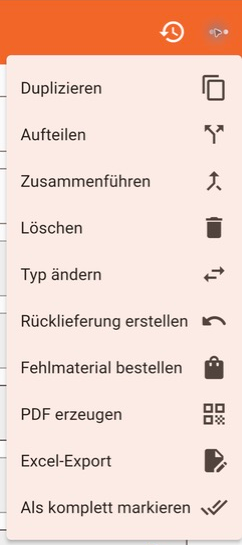
Section titled “Start sourcing”Open the material list and choose the order-missing-material action from the three-dot menu.
Choose a source
Section titled “Choose a source”First select the appropriate list type from the available options:
- Delivery: source material from a warehouse.
- Transfer: source material from another project.
- Supplier order: order material from a supplier.
Then specify the source. The destination is copied from the original material list.
Check the new list
Section titled “Check the new list”Missing parts and quantities are copied automatically. Check the details and adjust parts and quantities if necessary.
Screenshots show the German interface.