
Packaging units
Packaging units help you manage articles not just as individual pieces, but also in their typical packaging form.
A packaging unit always consists of two components:
- a carrier
- a quantity that fits on this carrier
For example, you can define that diagonals are always transported in units of 80 on a stanchion pallet.

This is especially helpful when, in practice, material is almost always moved, loaded or counted in fixed units. If, for example, only 65 diagonals are listed in the planning, in practice a whole packaging unit is often transported anyway.
Carrier and packaging unit – how they relate
Section titled “Carrier and packaging unit – how they relate”A carrier is a separate article of the type carrier, for example:
- Pallet
- Mesh box
- Transport cart
- Material basket
The packaging unit links a normal article to exactly one such carrier and adds the maximum quantity per unit.
Example:
- Article: Foot spindle 60
- Carrier: Small mesh box
- Packaging unit: 100
This defines that a full packaging unit consists of 100 foot spindles in a small mesh box.
Prerequisites
Section titled “Prerequisites”Before you can work with packaging units, the following prerequisites should be met:
- The required carrier already exists as its own article.
- The actual article already exists or is newly created.
- It is defined which quantity fits on a carrier in practice.
You also create carriers in the web app under Articles. It is important to select carrier as the type.
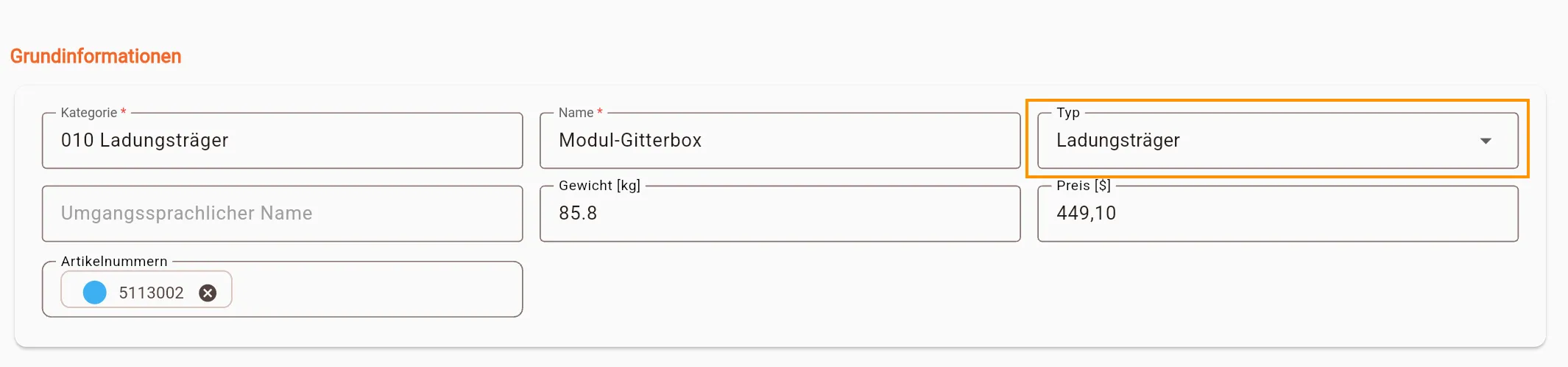
Storing a packaging unit manually on an article
Section titled “Storing a packaging unit manually on an article”A packaging unit is maintained directly on the article.
- Open the Articles area in the web app.
- Create a new article or open an existing article for editing.
- In the Carrier field, select the appropriate carrier.
- In the Packaging unit field, enter the appropriate quantity.
- Save the article.
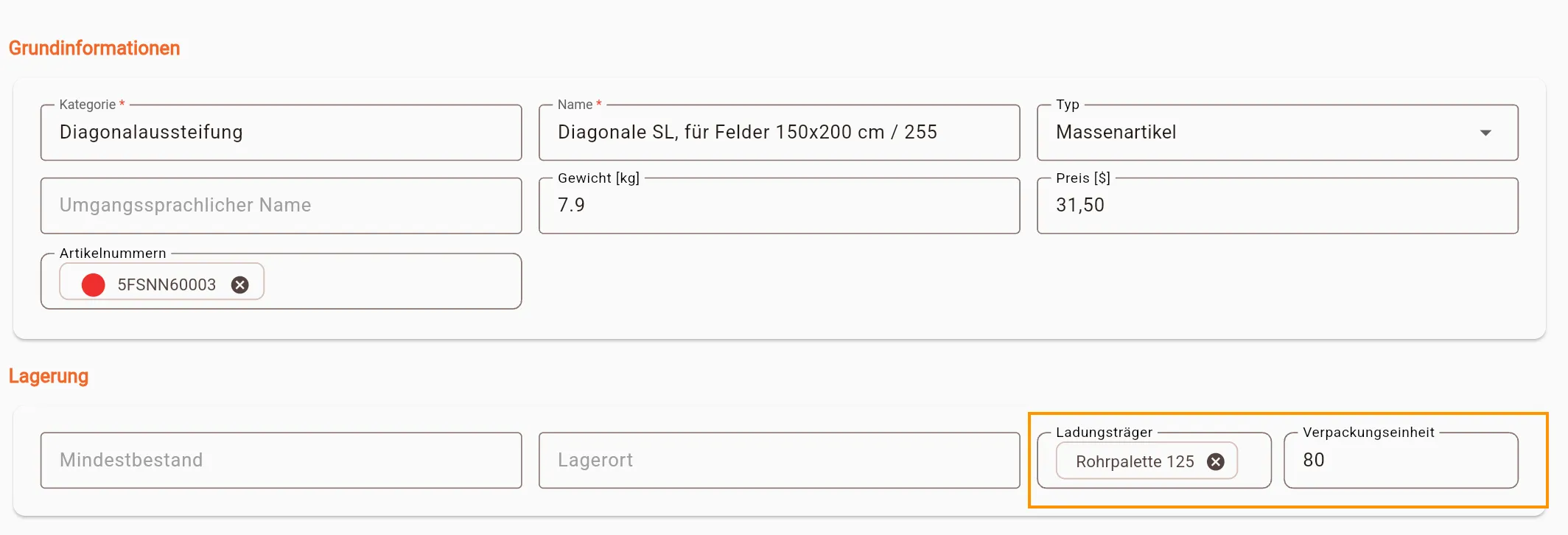
Once both are stored, Stocadro knows the packaging logic for this article.
Important: no packaging unit is used for articles of the type carrier themselves. The packaging unit always belongs to the article that is transported on the carrier.
Importing packaging units via Excel
Section titled “Importing packaging units via Excel”Packaging units can also be maintained via the article import.
These columns are particularly relevant for this:
carrierpackage_unit
The following applies:
carriercontains the name of the carrier that already exists.package_unitcontains the quantity per packaging unit.
Example:
| category | name | type | carrier | package_unit |
|---|---|---|---|---|
| Scaffold | Diagonal 3.00 m | BULK | Diagonals transport cart | 30 |
If no carrier is specified, no packaging unit is set either. The specified carrier must already exist in the system.
You can find out more about the basic structure of the import on the Articles page.
Use in material lists
Section titled “Use in material lists”Packaging units are particularly useful when articles are planned, picked or loaded in material lists.
They provide a consistent basis for:
- capturing quantities faster
- cleanly representing typical loading units
- bringing the actual material flow closer to practice
This saves time and reduces input errors, especially with frequently recurring loading patterns.
When adding articles to a material list, the packaging unit also helps directly with quantity entry. In the Add article dialog, a complete unit can be added for articles with a stored packaging unit.
If a quantity has already been entered, it is rounded up to the next full packaging unit. This turns a partial quantity into a practical loading unit in just a few clicks.
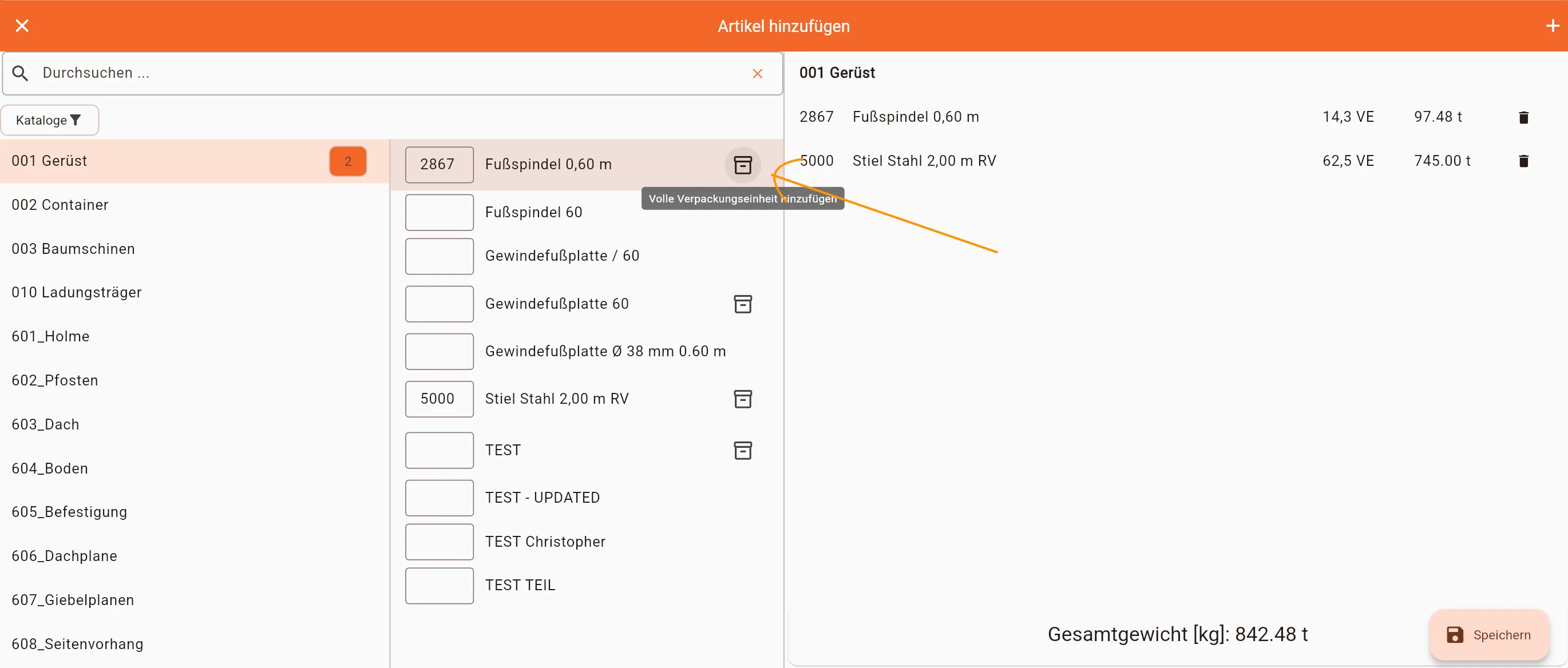
Use in the mobile app
Section titled “Use in the mobile app”In the mobile app, packaging units can be used directly when editing lists.
If a packaging unit is stored on an article, an additional card with this unit is shown in the quantity dialog. Using the Add button:
- a matching carrier is created or assigned, and
- the stored quantity is automatically added to the article quantity
This lets a warehouse worker or driver book a complete unit with a single click, instead of entering the quantity manually every time.
This is especially practical for loading and return processes with standardized units.
Notes, limitations and sources of error
Section titled “Notes, limitations and sources of error”- The carrier used must already exist as an article.
- The packaging unit should only be maintained if there is actually a fixed standard quantity in practice.
- Currently, only one packaging unit can be specified for an article.
- The packaging unit does not replace entering an individual quantity, but complements it.
- No packaging unit is maintained for carriers themselves.
- When importing via Excel, make sure the correct carrier is used and that the quantity is numeric.
When packaging units are properly maintained, work in material lists and in the mobile app becomes significantly faster and more consistent.